

Building an App Solo in 2026: How to Keep Tool Costs Down
Claude Code and Codex can help write your app, but you still have to handle the design, backend, website, and promotion. Paying for a subscription at every step adds up.
If you're building on your own with a limited budget, these six tools are worth a look. Here's what their free plans cover, plus a couple of student discounts.
1. Appark: Research the App Market for Free
Website: https://appark.ai/
Still deciding what to build? Start by looking at similar products on Appark before asking AI to write the code.
Appark is an app market analytics tool for exploring popular apps, category rankings, and competitor data across the App Store and Google Play worldwide.
The free plan includes basic charts, app searches by name, side-by-side comparisons of up to three apps, and monitoring for one app. Download and revenue estimates require a paid plan.
Before building, check how a few similar apps rank, then read their app store reviews. If people keep complaining that logging an expense takes too many steps, for example, there may be room for a simpler expense tracker.
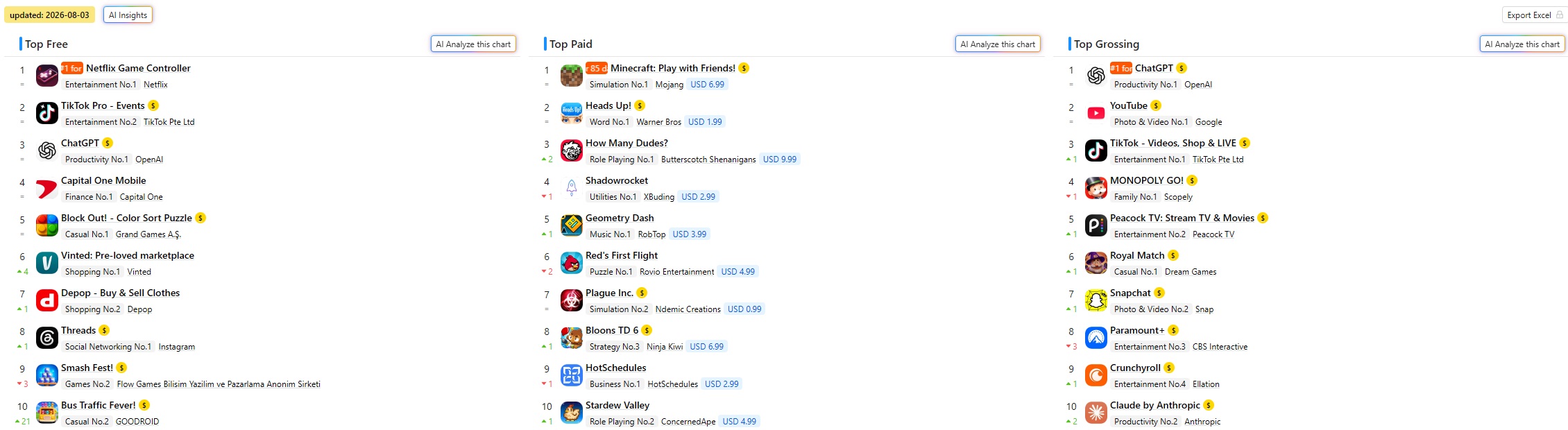
Appark's US App Store charts.
2. Figma: Design Your App's Interface for Free
Website: www.figma.com
If you don't like the interface AI gives you, repeatedly asking it to make things “simpler” or “better-looking” can get frustrating. Try sketching a prototype in Figma first. Work out the layout and button placement, then give AI a screenshot to build from.
The Starter plan is free, with unlimited files in Drafts, plus free UI kits and templates. Pick one close to what you need and adjust the colors and layout. You don't have to start with a blank canvas.
Students can also apply for Figma Education to get more professional features for free after verification.
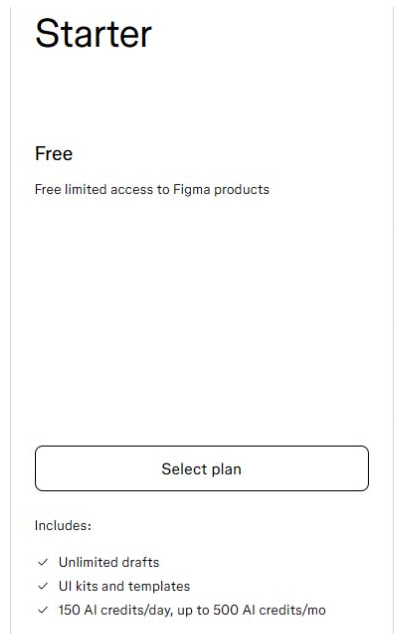
The Starter plan on Figma's pricing page.
3. Firebase: Add a Backend When You Need Cloud Sync
Website: firebase.google.com
Firebase is Google's app development platform. It provides authentication, databases, analytics, and crash reporting. When your app needs user accounts or syncing across devices, you can ask AI to help you integrate it.
The free Spark plan doesn't require a credit card. Cloud Firestore includes 1 GiB of free storage, 50,000 document reads per day, and 20,000 writes per day. That's enough to start getting your features working. Keep an eye on usage in the console, though: one user opening a few screens can trigger multiple document reads.
For an expense tracker or to-do app that doesn't need syncing yet, storing data on the phone may be enough. You can add a backend when you need one.
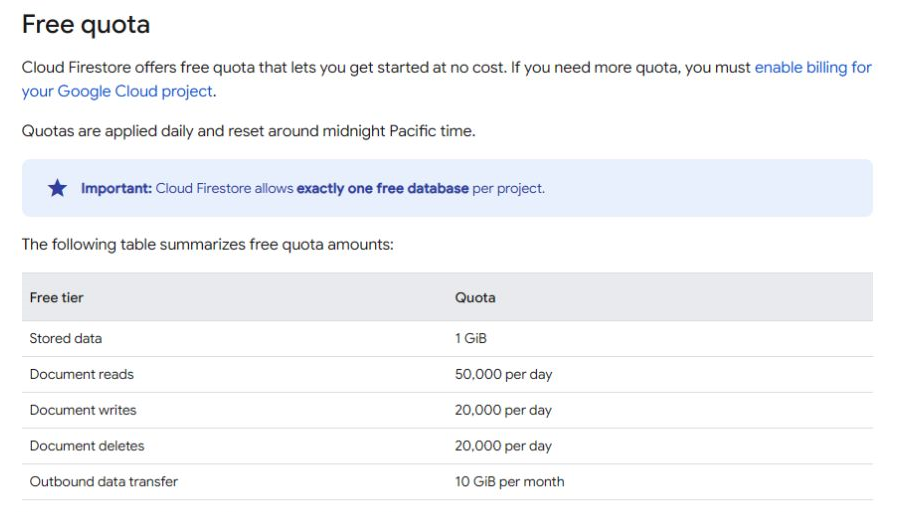
Cloud Firestore's free quota in the official Firebase documentation.
4. Typeless: Speak Your Instructions to AI
Website: www.typeless.com
Working with Codex, Cursor, or Claude Code means describing what you want, explaining what's wrong, and asking for changes. If you're tired of typing long messages over and over, try Typeless.
It's an AI dictation tool. Press a shortcut and speak, and it turns your words into cleaned-up text, handling slips, repetition, and unnecessary filler along the way.
For example, you could say, “Move the search box to the top of the home screen, add recent searches below it, and let me tap one to search again.” Then send that text to AI. It works for changing requirements and reporting bugs, too.
The free plan has a word limit. If you use it to talk to AI every day, Pro may be worth a look.
To save money, check Typeless's student discount. Students who haven't subscribed to Pro can verify their status with a school email address, such as an EDU email. Once approved, they get Pro for half the price with unlimited dictation. Make sure to check out on desktop.

The student discount on Typeless's website.
5. Cloudflare: Host Your Website and APIs for Free
Website: www.cloudflare.com
Launching an app usually means putting together a website, a privacy policy, and a product page. You can have AI build those pages and deploy them to Cloudflare Workers without renting a separate server.
Static asset requests are free and unlimited, and the free Workers plan includes 100,000 dynamic requests per day. If you don't want to buy a domain yet, start with the included workers.dev address.
Cloudflare also offers DNS, a CDN, the D1 database, and R2 object storage. When you need somewhere to store data or images, check the free allowances for those services.
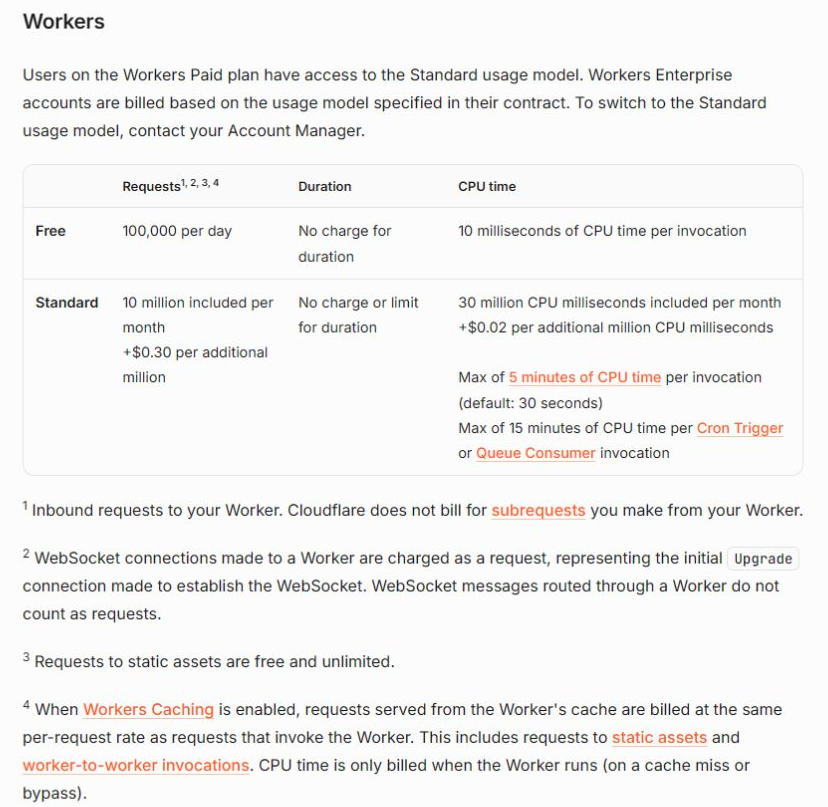
Workers request allowances and static asset pricing in Cloudflare's official documentation.
6. HiBrand: Make Promotional Materials for Your App
Website: https://hibrand.ai/
Once your app is ready, you'll need a few images that explain what it does when you share it in communities or on social media. HiBrand can help you put together a first version.
Give it your product's website, and it extracts your brand colors, fonts, and style to generate promotional images and copy. You don't have to describe the same look again for every image.
The Trial plan stays free and includes 20 AI creation credits per month. Text and images use different amounts of credit, which are shown before you generate anything. Twenty credits doesn't mean twenty images.
You could build your website on Cloudflare first, then use it as the starting point in HiBrand. Pick a few images that clearly explain your app's main features and use them in posts on X or other communities.
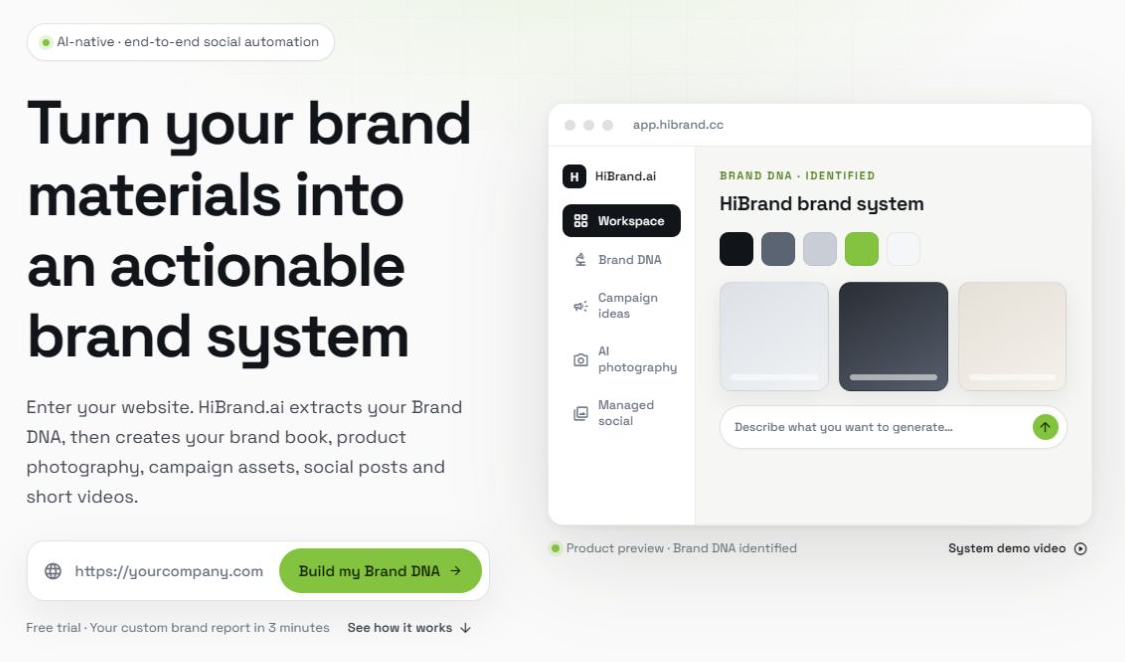
HiBrand's official product preview of its Brand DNA workflow.
What You'll Still Need to Budget For
All six tools let you start with a free plan, but AI coding subscriptions and app store developer accounts are separate costs. Google Play charges a one-time $25 registration fee, while the Apple Developer Program costs $99 per year.
If your budget is tight, I'd set aside money for those two things first. For everything else, see whether the free allowance covers what you need as you go.