


WhatsApp Messenger

Revenue: $879,683
Last 30 days
Downloads: 92,293,533
Last 30 days
Competitor Apps









App Promotional Images


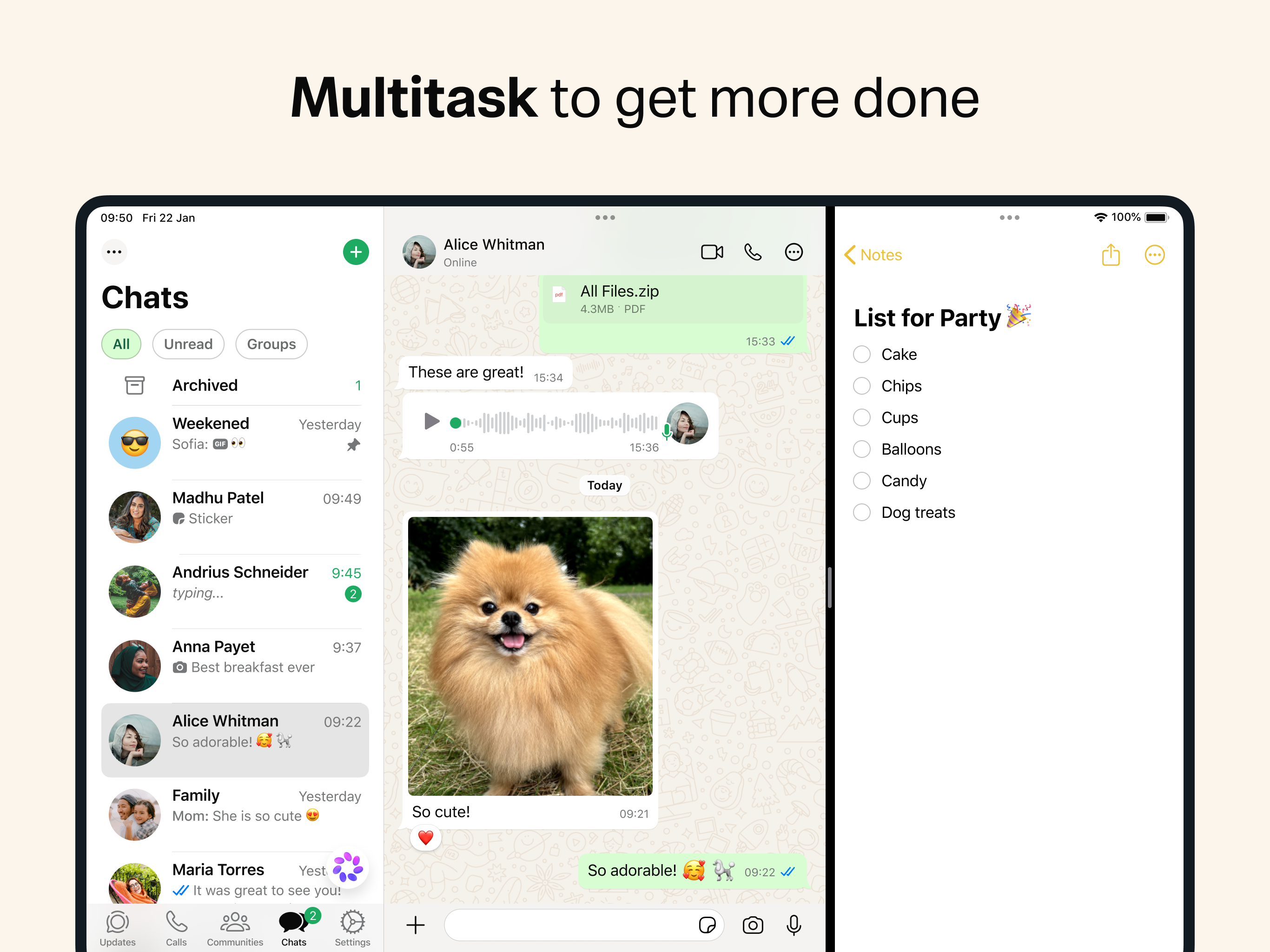



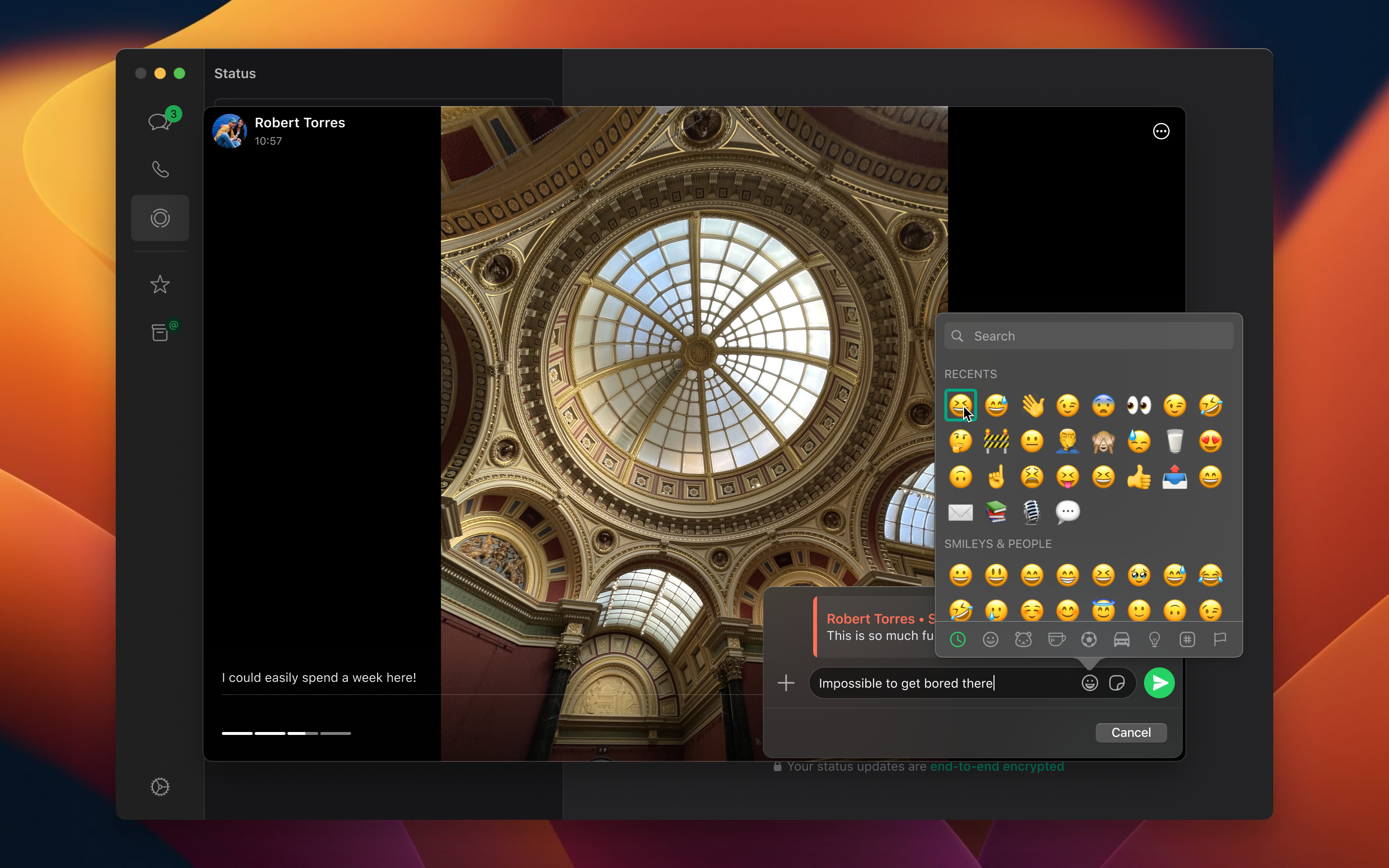
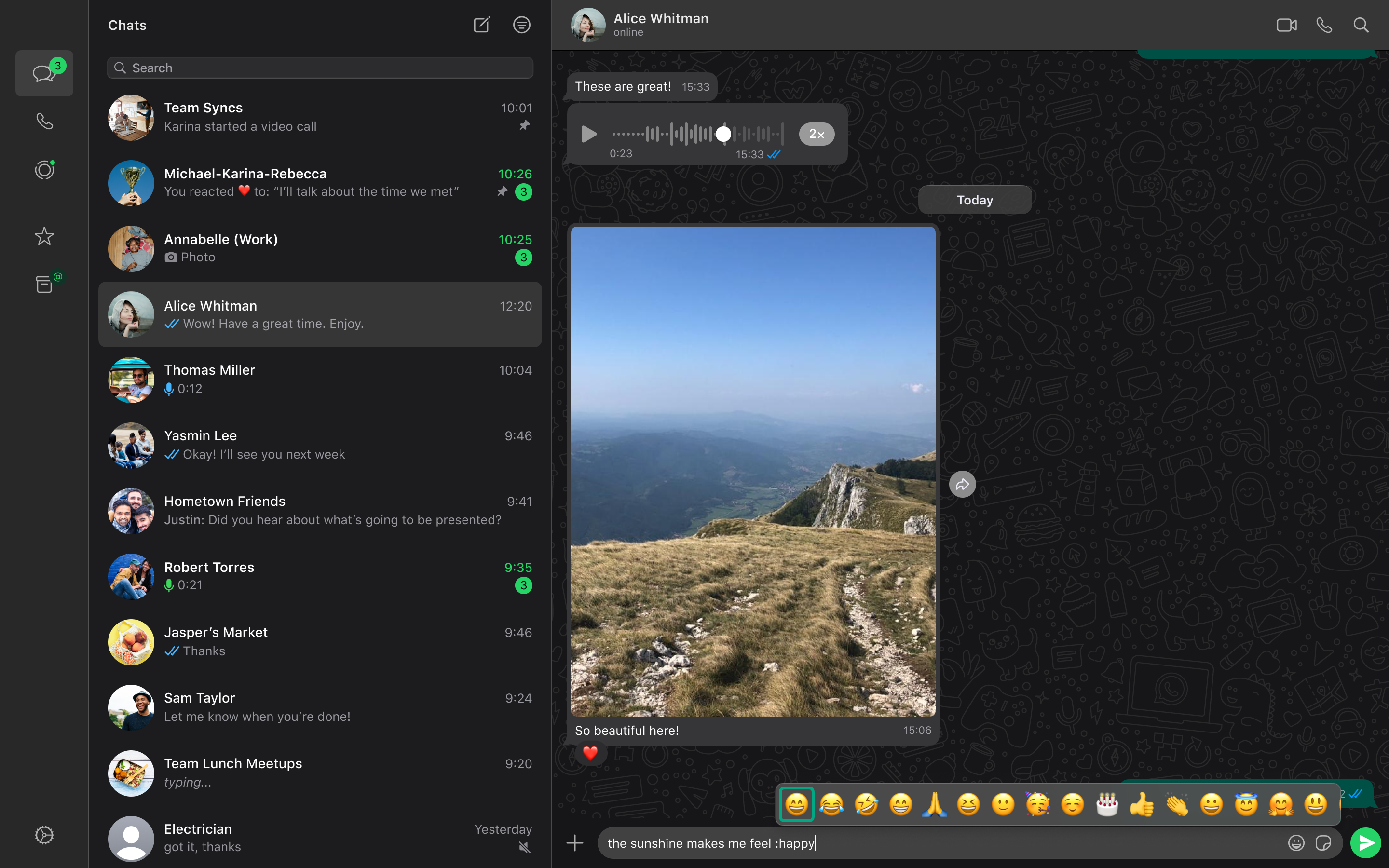


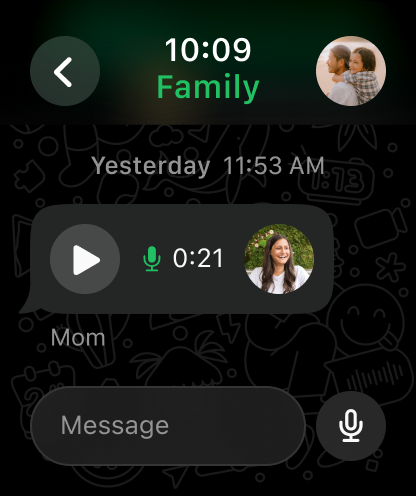

App Description
WhatsApp from Meta is a free messaging and calling app used by over 2 billion people across 180+ countries. It's super simple, reliable and private, making it perfect for staying in touch with your friends and family worldwide. WhatsApp works across mobile, tablet, and desktop even on slow connections, with no subscription fees*. Private messaging and calls across the world Your privacy is our priority. With end-to-end encryption, you can be sure that your personal messages and calls stay between you and who you send them to. And no one, not even WhatsApp, can read or listen to them. Simple and secure connections, right away All you need is your phone number - no usernames or logins needed. Easily view your contacts on WhatsApp and start messaging. And what's more, you can easily link your other devices, including iPads, for seamless connectivity. High quality voice and video calls Enjoy free, secure video and voice calls with up to 32 people for free. Your calls work across devices, even on slower connections, using your phone or tablet’s Internet service. Group chats to keep you in contact Stay close to friends and family through end-to-end encrypted group chats and calls. Share messages, photos, videos and documents across mobile, tablet, and desktop. You can also use call links and screen-sharing to make group calls and collaboration easy. Stay connected in real time You can share your location with those in your individual or group chats while using WhatsApp on your mobile phone. Or record a voice message for those moments when just text isn't good enough. Share daily moments through Status Share your everyday life with those who matter. With Status you can share text, photos, video, and GIF updates that disappear after 24 hours. You're always in control of who sees your status. Just choose who you want to share it with - all your contacts or selected ones. And bring your everyday to life. *Data charges may apply. Contact your provider for details. --------------------------------------------------------------------------- If you have any feedback or questions, please go to WhatsApp > Settings > Help > Contact Us Terms of Service: https://www.whatsapp.com/legal/terms-of-service Learn more about messaging privately: https://www.whatsapp.com/privacy Learn more about WhatsApp safety: https://www.whatsapp.com/security
In‑App Events




Version History
| 26.39.75 | 2026-10-08 | We update the app regularly to fix bugs, optimize performance and improve the experience. Thanks for using WhatsApp! | - | View |
| 26.39.74 | 2026-10-06 | We update the app regularly to fix bugs, optimize performance and improve the experience. Thanks for using WhatsApp! | - | View |
| 26.39.73 | 2026-10-05 | We update the app regularly to fix bugs, optimize performance and improve the experience. Thanks for using WhatsApp! | - | View |
| 26.38.74 | 2026-09-28 | We update the app regularly to fix bugs, optimize performance and improve the experience. Thanks for using WhatsApp! | - | View |
| 26.37.76 | 2026-09-23 | We update the app regularly to fix bugs, optimize performance and improve the experience. Thanks for using WhatsApp! | - | View |
| 26.37.73 | 2026-09-21 | We update the app regularly to fix bugs, optimize performance and improve the experience. Thanks for using WhatsApp! | - | View |
| 26.36.74 | 2026-09-14 | We update the app regularly to fix bugs, optimize performance and improve the experience. Thanks for using WhatsApp! | - | View |
| 26.35.74 | 2026-09-10 | We update the app regularly to fix bugs, optimize performance and improve the experience. Thanks for using WhatsApp! | - | View |
| 26.35.72 | 2026-09-08 | We update the app regularly to fix bugs, optimize performance and improve the experience. Thanks for using WhatsApp! | - | View |
| 26.34.74 | 2026-09-04 | We update the app regularly to fix bugs, optimize performance and improve the experience. Thanks for using WhatsApp! | - | View |
| 26.34.72 | 2026-08-31 | We update the app regularly to fix bugs, optimize performance and improve the experience. Thanks for using WhatsApp! | - | View |
| 26.33.73 | 2026-08-25 | We update the app regularly to fix bugs, optimize performance and improve the experience. Thanks for using WhatsApp! | App Icon | View |
| 26.32.75 | 2026-08-18 | We update the app regularly to fix bugs, optimize performance and improve the experience. Thanks for using WhatsApp! | App Icon | View |
| 26.28.75 | 2026-07-20 | We update the app regularly to fix bugs, optimize performance and improve the experience. Thanks for using WhatsApp! | App ScreenshotsApp Icon | View |
| 26.26.73 | 2026-07-06 | We update the app regularly to fix bugs, optimize performance and improve the experience. Thanks for using WhatsApp! | App ScreenshotsApp Icon | View |
| 26.17.76 | 2026-05-13 | We update the app regularly to fix bugs, optimize performance and improve the experience. Thanks for using WhatsApp! | - | View |
| 26.17.74 | 2026-05-07 | We update the app regularly to fix bugs, optimize performance and improve the experience. Thanks for using WhatsApp! | App Icon | View |
| 26.17.72 | 2026-05-04 | We update the app regularly to fix bugs, optimize performance and improve the experience. Thanks for using WhatsApp! | App Icon | View |
| 26.16.74 | 2026-04-27 | We update the app regularly to fix bugs, optimize performance and improve the experience. Thanks for using WhatsApp! | App Icon | View |
| 26.15.72 | 2026-04-23 | We update the app regularly to fix bugs, optimize performance and improve the experience. Thanks for using WhatsApp! | App Icon | View |
| 26.14.76 | 2026-04-14 | We update the app regularly to fix bugs, optimize performance and improve the experience. Thanks for using WhatsApp! | - | View |
| 26.14.73 | 2026-04-13 | We update the app regularly to fix bugs, optimize performance and improve the experience. Thanks for using WhatsApp! | - | View |
| 26.13.74 | 2026-04-07 | We update the app regularly to fix bugs, optimize performance and improve the experience. Thanks for using WhatsApp! | - | View |
| 26.12.78 | 2026-04-03 | We update the app regularly to fix bugs, optimize performance and improve the experience. Thanks for using WhatsApp! | - | View |
| 26.10.74 | 2026-03-19 | • The settings tab is now a profile tab, where you can manage your account, control your identity, and express yourself • Channel admins can now more easily invite contacts to follow their channel directly from the channel chat thread These features will roll out over the coming weeks. Thanks for using WhatsApp! | - | View |
| 26.10.73 | 2026-03-16 | • The settings tab is now a profile tab, where you can manage your account, control your identity, and express yourself • Channel admins can now more easily invite contacts to follow their channel directly from the channel chat thread These features will roll out over the coming weeks. Thanks for using WhatsApp! | - | View |
| 26.9.75 | 2026-03-11 | • You can now transfer your chats wirelessly when switching from iPhone to Android: no cables or other apps needed. • Sticker suggestions now appear when you type an emoji, making it easy to find and share the perfect sticker. These features will roll out over the coming weeks. Thanks for using WhatsApp! | - | View |
| 26.8.76 | 2026-03-06 | • Sticker suggestions now appear when you type an emoji, making it easy to find and share the perfect sticker. These features will roll out over the coming weeks. Thanks for using WhatsApp! | - | View |
| 26.8.75 | 2026-03-02 | • Sticker suggestions now appear when you type an emoji, making it easy to find and share the perfect sticker. These features will roll out over the coming weeks. Thanks for using WhatsApp! | - | View |
| 26.7.74 | 2026-02-25 | • Added the ability to easily switch between audio and video modes in group calls without interrupting or restarting the call. Just tap the video icon on any call. • Improved voice note audio quality by balancing speech volume and reducing background noise for clearer conversations. These features will roll out over the coming weeks. Thanks for using WhatsApp! | - | View |
| 26.6.74 | 2026-02-18 | • Added the ability to easily switch between audio and video modes in group calls without interrupting or restarting the call. Just tap the video icon on any call. • Improved voice note audio quality by balancing speech volume and reducing background noise for clearer conversations. These features will roll out over the coming weeks. Thanks for using WhatsApp! | - | View |
| 26.5.77 | 2026-02-12 | • We update the app regularly to fix bugs, optimize performance and improve the experience. Thanks for using WhatsApp! | - | View |
| 26.5.76 | 2026-02-09 | • We update the app regularly to fix bugs, optimize performance and improve the experience. Thanks for using WhatsApp! | - | View |
| 26.4.73 | 2026-02-02 | • Link previews on WhatsApp are now cleaner, with long URLs minimized to avoid disrupting the chat. Press and hold the domain on any link preview to see the full URL. • Updated grid layouts during group video calls, including speaker mode to highlight the person talking. Tap the ‘layout’ icon to try it. • You can now add a custom Member Tag to let everyone know your role in the group chat. Open the group > tap the group name > scroll to the members list > tap ‘Add member tag’ to get started. These features will roll out over the coming weeks. Thanks for using WhatsApp! | - | View |
| 26.3.75 | 2026-01-27 | • We update the app regularly to fix bugs, optimize performance and improve the experience. Thanks for using WhatsApp! | - | View |
| 26.3.73 | 2026-01-26 | • We update the app regularly to fix bugs, optimize performance and improve the experience. Thanks for using WhatsApp! | - | View |
| 26.2.74 | 2026-01-21 | • Link previews on WhatsApp are now cleaner, with long URLs minimized to avoid disrupting the chat. Press and hold the domain on any link preview to see the full URL. • Updated grid layouts during group video calls, including speaker mode to highlight the person talking. Tap the ‘layout’ icon to try it. • You can now add a custom Member Tag to let everyone know your role in the group chat. Open the group > tap the group name > scroll to the members list > tap ‘Add member tag’ to get started. These features will roll out over the coming weeks. Thanks for using WhatsApp! | - | View |
| 26.1.74 | 2026-01-14 | • Link previews on WhatsApp are now cleaner, with long URLs minimized to avoid disrupting the chat. Press and hold the domain on any link preview to see the full URL. • Updated grid layouts during group video calls, including speaker mode to highlight the person talking. Tap the ‘layout’ icon to try it. • You can now add a custom Member Tag to let everyone know your role in the group chat. Open the group > tap the group name > scroll to the members list > tap ‘Add member tag’ to get started. These features will roll out over the coming weeks. Thanks for using WhatsApp! | - | View |
| 25.37.76 | 2025-12-16 | • You can now add a custom Member Tag to let everyone know your role in the group chat. Open the group chat, tap the group name and scroll to the members list. Tap Add member tag and type in your role to show people who you are or how you’re known in this group. These features will roll out over the coming weeks. Thanks for using WhatsApp! | - | View |
| 25.37.74 | 2025-12-15 | • You can now add a custom Member Tag to let everyone know your role in the group chat. Open the group chat, tap the group name and scroll to the members list. Tap Add member tag and type in your role to show people who you are or how you’re known in this group. These features will roll out over the coming weeks. Thanks for using WhatsApp! | - | View |
| 25.36.73 | 2025-12-09 | • Link previews on WhatsApp are now cleaner, with long URLs minimized to avoid disrupting the chat. Press and hold the domain on any link preview to see the full URL. • Updated grid layouts during group video calls, including speaker mode to highlight the person talking. Tap the ‘layout’ icon to try it. These features will roll out over the coming weeks. Thanks for using WhatsApp! | - | View |
| 25.35.74 | 2025-12-03 | • Updated About to appear at the top of chat with new timer options. Go to ‘Settings’ > ‘Set your About’ to let people know what you're up to - whether you're busy, free to chat or want to share a thought. • WhatsApp is now available on Apple Watch. Quickly send voice messages, reactions and more + receive full messages and call notifications. • New features in Calling including ability to leave a voice message and redesigned calls tab. These features will roll out over the coming weeks. Thanks for using WhatsApp! | - | View |
| 25.35.72 | 2025-12-01 | • Updated About to appear at the top of chat with new timer options. Go to ‘Settings’ > ‘Set your About’ to let people know what you're up to - whether you're busy, free to chat or want to share a thought. • WhatsApp is now available on Apple Watch. Quickly send voice messages, reactions and more + receive full messages and call notifications. • New features in Calling including ability to leave a voice message and redesigned calls tab. These features will roll out over the coming weeks. Thanks for using WhatsApp! | - | View |
| 25.34.75 | 2025-11-21 | • WhatsApp is now available on Apple Watch. Quickly send voice messages, reactions and more + receive full messages and call notifications. These features will roll out over the coming weeks. Thanks for using WhatsApp! | - | View |
| 25.34.74 | 2025-11-18 | • WhatsApp is now available on Apple Watch. Quickly send voice messages, reactions and more + receive full messages and call notifications. These features will roll out over the coming weeks. Thanks for using WhatsApp! | - | View |
| 25.33.73 | 2025-11-15 | • We update the app regularly to fix bugs, optimize performance and improve the experience. Thanks for using WhatsApp! | App Screenshots | View |
| 25.32.77 | 2025-11-04 | • Added settings for media auto-download quality. Go to ‘Settings’ > ‘Storage and data’ > ‘Auto-download quality’. • Improvements to search including “groups in common” and better matching These features will roll out over the coming weeks. Thanks for using WhatsApp! | - | View |
| 25.31.75 | 2025-10-29 | • Added settings for media auto-download quality. Go to ‘Settings’ > ‘Storage and data’ > ‘Auto-download quality’. • Improvements to search including “groups in common” and better matching These features will roll out over the coming weeks. Thanks for using WhatsApp! | - | View |
| 25.31.74 | 2025-10-27 | • Added settings for media auto-download quality. Go to ‘Settings’ > ‘Storage and data’ > ‘Auto-download quality’. • Improvements to search including “groups in common” and better matching These features will roll out over the coming weeks. Thanks for using WhatsApp! | - | View |
| 25.30.73 | 2025-10-20 | • Added support for Live Photos in chats. • You can now translate messages in chats. If you see a message in a different language, long-press and tap ‘Translate’ for supported languages. These features will roll out over the coming weeks. Thanks for using WhatsApp! | - | View |
| 25.29.73 | 2025-10-13 | • Added support for Live Photos in chats. • You can now translate messages in chats. If you see a message in a different language, long-press and tap ‘Translate’ for supported languages. These features will roll out over the coming weeks. Thanks for using WhatsApp! | - | View |
| 25.28.75 | 2025-10-08 | • Added support for Live Photos in chats. • You can now translate messages in chats. If you see a message in a different language, long-press and tap ‘Translate’ for supported languages. These features will roll out over the coming weeks. Thanks for using WhatsApp! | - | View |
| 25.28.74 | 2025-10-06 | • Added support for Live Photos in chats. • You can now translate messages in chats. If you see a message in a different language, long-press and tap ‘Translate’ for supported languages. These features will roll out over the coming weeks. Thanks for using WhatsApp! | - | View |
| 25.27.74 | 2025-10-05 | • You can now schedule and view upcoming calls from the Calls tab. Tap the “+” icon and select “Schedule call”, then pick a contact/group to share a call invite. • Group chats now have a unified Calling icon, with new options to organize calls and select participants for audio or video calls. These features will roll out over the coming weeks. Thanks for using WhatsApp! | - | View |
| 25.27.73 | 2025-10-01 | • You can now schedule and view upcoming calls from the Calls tab. Tap the “+” icon and select “Schedule call”, then pick a contact/group to share a call invite. • Group chats now have a unified Calling icon, with new options to organize calls and select participants for audio or video calls. These features will roll out over the coming weeks. Thanks for using WhatsApp! | - | View |
| 25.26.72 | 2025-09-22 | • You can now schedule and view upcoming calls from the Calls tab. Tap the “+” icon and select “Schedule call”, then pick a contact/group to share a call invite. • Group chats now have a unified Calling icon, with new options to organize calls and select participants for audio or video calls. These features will roll out over the coming weeks. Thanks for using WhatsApp! | - | View |
| 25.25.74 | 2025-09-16 | • You can now schedule and view upcoming calls from the Calls tab. Tap the “+” icon and select “Schedule call”, then pick a contact/group to share a call invite. • Group chats now have a unified Calling icon, with new options to organize calls and select participants for audio or video calls. These features will roll out over the coming weeks. Thanks for using WhatsApp! | - | View |
| 25.25.73 | 2025-09-15 | • You can now schedule and view upcoming calls from the Calls tab. Tap the “+” icon and select “Schedule call”, then pick a contact/group to share a call invite. • Group chats now have a unified Calling icon, with new options to organize calls and select participants for audio or video calls. These features will roll out over the coming weeks. Thanks for using WhatsApp! | - | View |
| 25.24.77 | 2025-09-10 | • We update the app regularly to fix bugs, optimize performance and improve the experience. Thanks for using WhatsApp! | - | View |
| 25.24.74 | 2025-09-09 | • We update the app regularly to fix bugs, optimize performance and improve the experience. Thanks for using WhatsApp! | - | View |
| 25.23.82 | 2025-09-02 | • We update the app regularly to fix bugs, optimize performance and improve the experience. Thanks for using WhatsApp! | - | View |
| 25.23.3 | 2025-08-27 | • New tools for Status including Layout collages, Music posts, and Add Yours and Photo stickers support. These features will roll out over the coming weeks. Thanks for using WhatsApp! | - | View |
| 25.22.83 | 2025-08-19 | • New tools for Status including Layout collages, Music posts, and Add Yours and Photo stickers support. These features will roll out over the coming weeks. Thanks for using WhatsApp! | - | View |
| 25.21.6 | 2025-07-31 | • New tools for Status including Layout collages, Music posts, and Add Yours and Photo stickers support. These features will roll out over the coming weeks. Thanks for using WhatsApp! | - | View |
| 25.21.3 | 2025-07-28 | • New tools for Status including Layout collages, Music posts, and Add Yours and Photo stickers support. These features will roll out over the coming weeks. Thanks for using WhatsApp! | - | View |
| 25.20.83 | 2025-07-22 | • New tools for Status including Layout collages, Music posts, and Add Yours and Photo stickers support. These features will roll out over the coming weeks. Thanks for using WhatsApp! | - | View |
| 25.20.5 | 2025-07-14 | • New tools for Status including Layout collages, Music posts, and Add Yours and Photo stickers support. These features will roll out over the coming weeks. Thanks for using WhatsApp! | - | View |
| 25.19.83 | 2025-07-08 | • New tools for Status including Layout collages, Music posts, and Add Yours and Photo stickers support. These features will roll out over the coming weeks. Thanks for using WhatsApp! | - | View |
| 25.19.5 | 2025-07-07 | • You can now create animated stickers from your videos. Open a chat > Tap the ‘sticker’ icon in the composer > choose the ‘sticker’ tab’ > select ‘Create’ and choose a video to get started. • Updated voice messages so you can record by simply tapping the ‘microphone’ icon in chats. These features will roll out over the coming weeks. Thanks for using WhatsApp! | - | View |
| 25.18.86 | 2025-06-26 | • You can now create animated stickers from your videos. Open a chat > Tap the ‘sticker’ icon in the composer > choose the ‘sticker’ tab’ > select ‘Create’ and choose a video to get started. • Updated voice messages so you can record by simply tapping the ‘microphone’ icon in chats. These features will roll out over the coming weeks. Thanks for using WhatsApp! | - | View |
| 25.18.85 | 2025-06-23 | • You can now create animated stickers from your videos. Open a chat > Tap the ‘sticker’ icon in the composer > choose the ‘sticker’ tab’ > select ‘Create’ and choose a video to get started. • Updated voice messages so you can record by simply tapping the ‘microphone’ icon in chats. These features will roll out over the coming weeks. Thanks for using WhatsApp! | - | View |
| 25.18.7 | 2025-06-17 | • WhatsApp is now officially available on iPad. Supports features such as Stage Manager, Split View and Slide Over. To get started, go to the App Store on your iPad. • You can now start voice chats in all groups to connect live over audio without ringing. Swipe up and hold in a group to get started. • You can now select and copy parts of a message. To get started, long press any message and select to highlight text. These features will roll out over the coming weeks. Thanks for using WhatsApp! | - | View |
| 25.17.81 | 2025-06-10 | • WhatsApp is now officially available on iPad. Supports features such as Stage Manager, Split View and Slide Over. To get started, go to the App Store on your iPad. • You can now start voice chats in all groups to connect live over audio without ringing. Swipe up and hold in a group to get started. • You can now select and copy parts of a message. To get started, long press any message and select to highlight text. These features will roll out over the coming weeks. Thanks for using WhatsApp! | - | View |
| 25.17.0 | 2025-06-02 | • You can now start voice chats in all groups to connect live over audio without ringing. Swipe up and hold in a group to get started. • You can now select and copy parts of a message. To get started, long press any message and select to highlight text. These features will roll out over the coming weeks. Thanks for using WhatsApp! | - | View |
| 25.16.81 | 2025-05-27 | • You can now start voice chats in all groups to connect live over audio without ringing. Swipe up and hold in a group to get started. • You can now select and copy parts of a message. To get started, long press any message and select to highlight text. These features will roll out over the coming weeks. Thanks for using WhatsApp! | - | View |
| 25.16.7 | 2025-05-21 | • You can now create and organize your stickers into packs. Tap the ‘pencil’ icon in stickers > choose any stickers and > tap the “...” icon and select “Add to sticker pack” • You can now send sticker packs in chats. Tap the ‘...’ icon in any pack and choose ‘Send’ Thanks for using WhatsApp! | - | View |
| 25.16.4 | 2025-05-19 | • You can now create and organize your stickers into packs. Tap the ‘pencil’ icon in stickers > choose any stickers and > tap the “...” icon and select “Add to sticker pack” • You can now send sticker packs in chats. Tap the ‘...’ icon in any pack and choose ‘Send’ Thanks for using WhatsApp! | - | View |
| 25.15.5 | 2025-05-13 | • You can now create and organize your stickers into packs. Tap the ‘pencil’ icon in stickers > choose any stickers and > tap the “...” icon and select “Add to sticker pack” • You can now send sticker packs in chats. Tap the ‘...’ icon in any pack and choose ‘Send’ Thanks for using WhatsApp! | - | View |
| 25.15.4 | 2025-05-12 | • You can now create and organize your stickers into packs. Tap the ‘pencil’ icon in stickers > choose any stickers and > tap the “...” icon and select “Add to sticker pack” • You can now send sticker packs in chats. Tap the ‘...’ icon in any pack and choose ‘Send’ Thanks for using WhatsApp! | - | View |
| 25.14.79 | 2025-05-08 | • You can now create and organize your stickers into packs. Tap the ‘pencil’ icon in stickers > choose any stickers and > tap the “...” icon and select “Add to sticker pack” • You can now send sticker packs in chats. Tap the ‘...’ icon in any pack and choose ‘Send’ Thanks for using WhatsApp! | - | View |
| 25.14.7 | 2025-05-05 | • You can now create and organize your stickers into packs. Tap the ‘pencil’ icon in stickers > choose any stickers and > tap the “...” icon and select “Add to sticker pack” • You can now send sticker packs in chats. Tap the ‘...’ icon in any pack and choose ‘Send’ Thanks for using WhatsApp! | - | View |
| 25.13.77 | 2025-04-28 | • You can now create and organize your stickers into packs. Tap the ‘pencil’ icon in stickers > choose any stickers and > tap the “...” icon and select “Add to sticker pack” • You can now send sticker packs in chats. Tap the ‘...’ icon in any pack and choose ‘Send’ Thanks for using WhatsApp! | - | View |
| 25.12.73 | 2025-04-21 | • You can now choose to get Highlights notifications in Groups. Go to Group info > ‘Notifications’ > ‘Notify for’ > and select ‘Highlights’ to get started. These features will roll out over the coming weeks. Thanks for using WhatsApp! | - | View |
| 25.11.76 | 2025-04-14 | • You can now choose to get Highlights notifications in Groups. Go to Group info > ‘Notifications’ > ‘Notify for’ > and select ‘Highlights’ to get started. These features will roll out over the coming weeks. Thanks for using WhatsApp! | - | View |
| 25.10.72 | 2025-04-07 | • We update the app regularly to fix bugs, optimize performance and improve the experience. Thanks for using WhatsApp! | - | View |
| 25.9.72 | 2025-03-31 | • You can now create and organize your stickers into packs. Tap the ‘pencil’ icon in stickers > choose any stickers and > tap the “...” icon and select “Add to sticker pack” • You can now send sticker packs in chats. Tap the ‘...’ icon in any pack and choose ‘Send’ • You can now add Music to Status. Tap the ‘music’ icon when creating a status to get started Thanks for using WhatsApp! | - | View |
| 25.8.74 | 2025-03-24 | • We update the app regularly to fix bugs, optimize performance and improve the experience. Thanks for using WhatsApp! | - | View |
| 25.7.77 | 2025-03-18 | • Chat Themes allow you to customize your bubble color and wallpaper. Choose from pre-set themes, new wallpapers, or mix and match. Go to ‘Settings’ > ‘Chats’ > ‘Default chat theme’ to change it everywhere or ‘Chat themes’ in Contact or Group info to change it for a specific chat. These features will roll out over the coming weeks. Thanks for using WhatsApp! | - | View |
| 25.6.73 | 2025-03-12 | • Chat Themes allow you to customize your bubble color and wallpaper. Choose from pre-set themes, new wallpapers, or mix and match. Go to ‘Settings’ > ‘Chats’ > ‘Default chat theme’ to change it everywhere or ‘Chat themes’ in Contact or Group info to change it for a specific chat. These features will roll out over the coming weeks. Thanks for using WhatsApp! | - | View |
| 25.6.2 | 2025-03-10 | • Chat Themes allow you to customize your bubble color and wallpaper. Choose from pre-set themes, new wallpapers, or mix and match. Go to ‘Settings’ > ‘Chats’ > ‘Default chat theme’ to change it everywhere or ‘Chat themes’ in Contact or Group info to change it for a specific chat. These features will roll out over the coming weeks. Thanks for using WhatsApp! | - | View |
| 25.5.74 | 2025-03-04 | • Chat Themes allow you to customize your bubble color and wallpaper. Choose from pre-set themes, new wallpapers, or mix and match. Go to ‘Settings’ > ‘Chats’ > ‘Default chat theme’ to change it everywhere or ‘Chat themes’ in Contact or Group info to change it for a specific chat. These features will roll out over the coming weeks. Thanks for using WhatsApp! | - | View |
| 25.4.77 | 2025-02-25 | • Chat Themes allow you to customize your bubble color and wallpaper. Choose from pre-set themes, new wallpapers, or mix and match. Go to ‘Settings’ > ‘Chats’ > ‘Default chat theme’ to change it everywhere or ‘Chat themes’ in Contact or Group info to change it for a specific chat. These features will roll out over the coming weeks. Thanks for using WhatsApp! | - | View |
| 25.3.80 | 2025-02-18 | • Chat Themes allow you to customize your bubble color and wallpaper. Choose from pre-set themes, new wallpapers, or mix and match. Go to ‘Settings’ > ‘Chats’ > ‘Default chat theme’ to change it everywhere or ‘Chat themes’ in Contact or Group info to change it for a specific chat. These features will roll out over the coming weeks. Thanks for using WhatsApp! | - | View |
| 25.2.83 | 2025-02-12 | We update the app regularly to fix bugs, optimize performance and improve the experience. Thanks for using WhatsApp! | - | View |
| 25.2.82 | 2025-02-05 | We update the app regularly to fix bugs, optimize performance and improve the experience. Thanks for using WhatsApp! | - | View |
| 25.2.80 | 2025-02-04 | We update the app regularly to fix bugs, optimize performance and improve the experience. Thanks for using WhatsApp! | - | View |
| 25.2.3 | 2025-01-28 | • You can now dial phone numbers without saving them to your contacts. Tap the “+” icon on the Calls tab and select “Call a number” to open the dialer. • You can now select participants prior to starting a group call. Tap the phone or video icon in your group chat, then tap the group name to select people to call. • You can now add people you are chatting with to an ongoing call. Tap the phone or video icon in a 1:1 chat to add this person to the call. These features will roll out over the coming weeks. Thanks for using WhatsApp! | - | View |
| 25.1.80 | 2025-01-21 | • You can now dial phone numbers without saving them to your contacts. Tap the “+” icon on the Calls tab and select “Call a number” to open the dialer. • You can now select participants prior to starting a group call. Tap the phone or video icon in your group chat, then tap the group name to select people to call. • You can now add people you are chatting with to an ongoing call. Tap the phone or video icon in a 1:1 chat to add this person to the call. These features will roll out over the coming weeks. Thanks for using WhatsApp! | - | View |
| 25.1.2 | 2025-01-16 | • New gestures include double tap to quickly react to a message and pinch to zoom your camera during video calls. • Sharing multiple images and videos now sends as a collection. • You can now scan documents with your camera and send as a document. Tap ‘+’ in chat > ‘Document’ > ‘Scan document’ to get started. • You can now add AR effects, backgrounds and filters from the Camera. Open Camera and tap the ‘wand’ icon to get started. • You can now keep the unread message count on your app icon after you leave the app. Go to Settings > 'Notifications' and turn off 'Clear badge' under 'Home screen notifications'. These features will roll out over the coming weeks. Thanks for using WhatsApp! | - | View |
| 24.25.93 | 2024-12-24 | • New gestures include double tap to quickly react to a message and pinch to zoom your camera during video calls. • Sharing multiple images and videos now sends as a collection. • You can now scan documents with your camera and send as a document. Tap ‘+’ in chat > ‘Document’ > ‘Scan document’ to get started. • You can now add AR effects, backgrounds and filters from the Camera. Open Camera and tap the ‘wand’ icon to get started. • You can now keep the unread message count on your app icon after you leave the app. Go to Settings > 'Notifications' and turn off 'Clear badge' under 'Home screen notifications'. These features will roll out over the coming weeks. Thanks for using WhatsApp! | - | View |
| 24.25.89 | 2024-12-19 | • New gestures include double tap to quickly react to a message and pinch to zoom your camera during video calls. • Sharing multiple images and videos now sends as a collection. • You can now scan documents with your camera and send as a document. Tap ‘+’ in chat > ‘Document’ > ‘Scan document’ to get started. • You can now add AR effects, backgrounds and filters from the Camera. Open Camera and tap the ‘wand’ icon to get started. • You can now keep the unread message count on your app icon after you leave the app. Go to Settings > 'Notifications' and turn off 'Clear badge' under 'Home screen notifications'. These features will roll out over the coming weeks. Thanks for using WhatsApp! | - | View |
| 24.25.80 | 2024-12-16 | • New gestures include double tap to quickly react to a message and pinch to zoom your camera during video calls. • Sharing multiple images and videos now sends as a collection. • You can now scan documents with your camera and send as a document. Tap ‘+’ in chat > ‘Document’ > ‘Scan document’ to get started. • You can now add AR effects, backgrounds and filters from the Camera. Open Camera and tap the ‘wand’ icon to get started. • You can now keep the unread message count on your app icon after you leave the app. Go to Settings > 'Notifications' and turn off 'Clear badge' under 'Home screen notifications'. These features will roll out over the coming weeks. Thanks for using WhatsApp! | - | View |
| 24.25.5 | 2024-12-11 | • You can now share sticker packs as a message in your chats. Tap the three dot menu next to a pack and choose ‘Send’ to get started. These features will roll out over the coming weeks. Thanks for using WhatsApp! | - | View |
| 24.25.3 | 2024-12-10 | • You can now share sticker packs as a message in your chats. Tap the three dot menu next to a pack and choose ‘Send’ to get started. These features will roll out over the coming weeks. Thanks for using WhatsApp! | - | View |
| 24.24.83 | 2024-12-04 | • You can now share sticker packs as a message in your chats. Tap the three dot menu next to a pack and choose ‘Send’ to get started. These features will roll out over the coming weeks. Thanks for using WhatsApp! | - | View |
| 24.24.7 | 2024-11-27 | • You can now filter your chats with custom lists. Tap the ‘+’ button in the filter bar at the top of your chat list to get started. These features will roll out over the coming weeks. Thanks for using WhatsApp! | - | View |
| 24.23.82 | 2024-11-21 | • You can now filter your chats with custom lists. Tap the ‘+’ button in the filter bar at the top of your chat list to get started. These features will roll out over the coming weeks. Thanks for using WhatsApp! | - | View |
| 24.23.79 | 2024-11-18 | • You can now filter your chats with custom lists. Tap the ‘+’ button in the filter bar at the top of your chat list to get started. These features will roll out over the coming weeks. Thanks for using WhatsApp! | - | View |
| 24.21.82 | 2024-10-23 | • New Home Screen widget for Chats allows you to choose from Recents, Favorites, Pinned or Frequently contacted • You can now mention others in Status. Tap the ‘@’ button in composer during the editing step • Camera now supports zoom from 0.5x to 3x These features will roll out over the coming weeks. Thanks for using WhatsApp! | - | View |
| 24.19.80 | 2024-09-24 | • New features for Communities including Group visibility setting, quick archive action from chat list, and the ability to transfer Community ownership. These features will roll out over the coming weeks. Thanks for using WhatsApp! | - | View |
| 24.18.81 | 2024-09-17 | • New features for Communities including Group visibility setting, quick archive action from chat list, and the ability to transfer Community ownership. These features will roll out over the coming weeks. Thanks for using WhatsApp! | - | View |
| 24.18.77 | 2024-09-09 | • New features for Communities including Group visibility setting, quick archive action from chat list, and the ability to transfer Community ownership. These features will roll out over the coming weeks. Thanks for using WhatsApp! | - | View |
| 24.17.78 | 2024-08-26 | • You can now reply and react directly from the media viewer • You can now record a video note from the camera and quickly reply to a video note you received in chat • Improvements to stickers including search results from GIPHY and the ability to move items in the sticker tray These features will roll out over the coming weeks. Thanks for using WhatsApp! | - | View |
| 24.17.6 | 2024-08-23 | • New calling UI with updated controls and improved reliability. • You can add “Favorites” that appear at the top of your calls tab and as a filter for your chats. Go to ‘Settings’ > ‘Favorites’ to get started. These features will roll out over the coming weeks. Thanks for using WhatsApp! | - | View |
| 24.17.1 | 2024-08-20 | • New calling UI with updated controls and improved reliability. • You can add “Favorites” that appear at the top of your calls tab and as a filter for your chats. Go to ‘Settings’ > ‘Favorites’ to get started. These features will roll out over the coming weeks. Thanks for using WhatsApp! | - | View |
| 24.16.79 | 2024-08-15 | • New calling UI with updated controls and improved reliability. • You can add “Favorites” that appear at the top of your calls tab and as a filter for your chats. Go to ‘Settings’ > ‘Favorites’ to get started. These features will roll out over the coming weeks. Thanks for using WhatsApp! | - | View |
| 24.16.78 | 2024-08-13 | • New calling UI with updated controls and improved reliability. • You can add “Favorites” that appear at the top of your calls tab and as a filter for your chats. Go to ‘Settings’ > ‘Favorites’ to get started. These features will roll out over the coming weeks. Thanks for using WhatsApp! | - | View |
| 24.16.5 | 2024-08-08 | • You can now create and send Events in groups. Tap the ‘+’ button and select ‘Event’ to get started. These features will roll out over the coming weeks. Thanks for using WhatsApp! | - | View |
| 24.16.1 | 2024-08-05 | • You can now create and send Events in groups. Tap the ‘+’ button and select ‘Event’ to get started. These features will roll out over the coming weeks. Thanks for using WhatsApp! | - | View |
| 24.15.79 | 2024-07-29 | • You can now create and send Events in groups. Tap the ‘+’ button and select ‘Event’ to get started. These features will roll out over the coming weeks. Thanks for using WhatsApp! | - | View |
| 24.15.1 | 2024-07-24 | • Increased the length of Status videos and audio up to 60s • You can set default HD quality by going to Settings > Storage and data > Media upload quality These features will roll out over the coming weeks. Thanks for using WhatsApp! | - | View |
| 24.14.85 | 2024-07-22 | • Increased the length of Status videos and audio up to 60s • You can set default HD quality by going to Settings > Storage and data > Media upload quality These features will roll out over the coming weeks. Thanks for using WhatsApp! | - | View |
| 24.14.83 | 2024-07-17 | • Increased the length of Status videos and audio up to 60s • You can set default HD quality by going to Settings > Storage and data > Media upload quality These features will roll out over the coming weeks. Thanks for using WhatsApp! | - | View |
| 24.14.81 | 2024-07-15 | • Increased the length of Status videos and audio up to 60s • You can set default HD quality by going to Settings > Storage and data > Media upload quality These features will roll out over the coming weeks. Thanks for using WhatsApp! | - | View |
| 24.14.8 | 2024-07-11 | • Increased the length of Status videos and audio up to 60s • You can set default HD quality by going to Settings > Storage and data > Media upload quality These features will roll out over the coming weeks. Thanks for using WhatsApp! | - | View |
| 24.13.79 | 2024-07-02 | • Increased the length of Status videos and audio up to 60s • You can set default HD quality by going to Settings > Storage and data > Media upload quality These features will roll out over the coming weeks. Thanks for using WhatsApp! | - | View |
| 24.13.78 | 2024-07-01 | • Increased the length of Status videos and audio up to 60s • You can set default HD quality by going to Settings > Storage and data > Media upload quality These features will roll out over the coming weeks. Thanks for using WhatsApp! | - | View |
| 24.13.2 | 2024-06-25 | • Increased the length of Status videos and audio up to 60s • You can set default HD quality by going to Settings > Storage and data > Media upload quality These features will roll out over the coming weeks. Thanks for using WhatsApp! | - | View |
| 24.12.78 | 2024-06-17 | • Increased the length of Status videos and audio up to 60s • You can set default HD quality by going to Settings > Storage and data > Media upload quality These features will roll out over the coming weeks. Thanks for using WhatsApp! | - | View |
| 24.12.4 | 2024-06-11 | • New app UI with updated icons, wallpaper and green accent color • Added filters at top of chats for All, Unread and Groups • Screen sharing during video calls now supports sharing audio too • Added support for passkeys. Go to Settings > Account > Passkeys to get started • Improved Share Extension with better reliability and HD media support These features will roll out over the coming weeks. Thanks for using WhatsApp! | - | View |
| 24.11.85 | 2024-06-07 | • New app UI with updated icons, wallpaper and green accent color • Added filters at top of chats for All, Unread and Groups • Screen sharing during video calls now supports sharing audio too • Added support for passkeys. Go to Settings > Account > Passkeys to get started • Improved Share Extension with better reliability and HD media support These features will roll out over the coming weeks. Thanks for using WhatsApp! | - | View |
| 24.11.83 | 2024-06-06 | • New app UI with updated icons, wallpaper and green accent color • Added filters at top of chats for All, Unread and Groups • Screen sharing during video calls now supports sharing audio too • Added support for passkeys. Go to Settings > Account > Passkeys to get started • Improved Share Extension with better reliability and HD media support These features will roll out over the coming weeks. Thanks for using WhatsApp! | - | View |
| 24.11.80 | 2024-06-03 | • New app UI with updated icons, wallpaper and green accent color • Added filters at top of chats for All, Unread and Groups • Screen sharing during video calls now supports sharing audio too • Added support for passkeys. Go to Settings > Account > Passkeys to get started • Improved Share Extension with better reliability and HD media support These features will roll out over the coming weeks. Thanks for using WhatsApp! | - | View |
| 24.10.79 | 2024-05-22 | • New app UI with updated icons, wallpaper and green accent color • Added filters at top of chats for All, Unread and Groups • Screen sharing during video calls now supports sharing audio too • Added support for passkeys. Go to Settings > Account > Passkeys to get started • Improved Share Extension with better reliability and HD media support These features will roll out over the coming weeks. Thanks for using WhatsApp! | - | View |
| 24.10.4 | 2024-05-16 | • New app UI with updated icons, wallpaper and green accent color • Added filters at top of chats for All, Unread and Groups • Screen sharing during video calls now supports sharing audio too • Added support for passkeys. Go to Settings > Account > Passkeys to get started • Improved Share Extension with better reliability and HD media support These features will roll out over the coming weeks. Thanks for using WhatsApp! | - | View |
| 24.9.78 | 2024-05-13 | • New app UI with updated icons, wallpaper and green accent color • Added filters at top of chats for All, Unread and Groups • Screen sharing during video calls now supports sharing audio too • Added support for passkeys. Go to Settings > Account > Passkeys to get started • Improved Share Extension with better reliability and HD media support These features will roll out over the coming weeks. Thanks for using WhatsApp! | - | View |
| 24.9.4 | 2024-05-03 | • Screen sharing during video calls now supports sharing audio too • Updated icons and illustrations • Notifications and buttons are now green These features will roll out over the coming weeks. Thanks for using WhatsApp! | - | View |
| 24.9.1 | 2024-05-02 | • Screen sharing during video calls now supports sharing audio too • Updated icons and illustrations • Notifications and buttons are now green These features will roll out over the coming weeks. Thanks for using WhatsApp! | - | View |
| 24.8.85 | 2024-04-28 | • You can instantly record and send video messages in chats. Long press the camera next to the text field in chat to get started • You can quick forward/rewind by double tapping the edge of a video • New design for the attachment tray in chat These features will roll out over the coming weeks. Thanks for using WhatsApp! | - | View |
| 24.8.83 | 2024-04-24 | • You can instantly record and send video messages in chats. Long press the camera next to the text field in chat to get started • You can quick forward/rewind by double tapping the edge of a video • New design for the attachment tray in chat These features will roll out over the coming weeks. Thanks for using WhatsApp! | - | View |
| 24.8.80 | 2024-04-17 | • You can instantly record and send video messages in chats. Long press the camera next to the text field in chat to get started • You can quick forward/rewind by double tapping the edge of a video • New design for the attachment tray in chat These features will roll out over the coming weeks. Thanks for using WhatsApp! | - | View |
| 24.8.78 | 2024-04-16 | • You can instantly record and send video messages in chats. Long press the camera next to the text field in chat to get started • You can quick forward/rewind by double tapping the edge of a video • New design for the attachment tray in chat These features will roll out over the coming weeks. Thanks for using WhatsApp! | - | View |
| 24.8.77 | 2024-04-15 | • You can instantly record and send video messages in chats. Long press the camera next to the text field in chat to get started • You can quick forward/rewind by double tapping the edge of a video • New design for the attachment tray in chat These features will roll out over the coming weeks. Thanks for using WhatsApp! | - | View |
| 24.7.79 | 2024-04-11 | • You can instantly record and send video messages in chats. Long press the camera next to the text field in chat to get started • You can quick forward/rewind by double tapping the edge of a video • New design for the attachment tray in chat These features will roll out over the coming weeks. Thanks for using WhatsApp! | - | View |
| 24.7.78 | 2024-04-08 | • You can instantly record and send video messages in chats. Long press the camera next to the text field in chat to get started • You can quick forward/rewind by double tapping the edge of a video • New design for the attachment tray in chat These features will roll out over the coming weeks. Thanks for using WhatsApp! | - | View |
| 24.7.5 | 2024-04-05 | • You can instantly record and send video messages in chats. Long press the camera next to the text field in chat to get started • You can quick forward/rewind by double tapping the edge of a video • New design for the attachment tray in chat These features will roll out over the coming weeks. Thanks for using WhatsApp! | - | View |
| 24.6.78 | 2024-03-29 | • You can instantly record and send video messages in chats. Long press the camera next to the text field in chat to get started • You can quick forward/rewind by double tapping the edge of a video • New design for the attachment tray in chat These features will roll out over the coming weeks. Thanks for using WhatsApp! | - | View |
| 24.6.77 | 2024-03-25 | • You can instantly record and send video messages in chats. Long press the camera next to the text field in chat to get started • You can quick forward/rewind by double tapping the edge of a video • New design for the attachment tray in chat These features will roll out over the coming weeks. Thanks for using WhatsApp! | - | View |
| 24.5.75 | 2024-03-11 | • Fixed a bug when copying and pasting images. These features will roll out over the coming weeks. Thanks for using WhatsApp! | - | View |
| 24.5.4 | 2024-03-07 | • Added new text formatting options for quotes, bullets, numbered lists, and inline code • You can now create stickers from photos or edit stickers with decorating tools. Tap the ‘sticker’ icon in chat, navigate to the ‘sticker’ tab, and tap “+” to use the new sticker creator. These features will roll out over the coming weeks. Thanks for using WhatsApp! | - | View |
| 24.5.3 | 2024-03-06 | • Added new text formatting options for quotes, bullets, numbered lists, and inline code • You can now create stickers from photos or edit stickers with decorating tools. Tap the ‘sticker’ icon in chat, navigate to the ‘sticker’ tab, and tap “+” to use the new sticker creator. These features will roll out over the coming weeks. Thanks for using WhatsApp! | - | View |
| 24.4.78 | 2024-02-26 | • Added new text formatting options for quotes, bullets, numbered lists, and inline code • You can now create stickers from photos or edit stickers with decorating tools. Tap the ‘sticker’ icon in chat, navigate to the ‘sticker’ tab, and tap “+” to use the new sticker creator. These features will roll out over the coming weeks. Thanks for using WhatsApp! | - | View |
Developer Information
In‑App Purchases
App Information